Back to Maintenance Manager for Manufacturing Main Menu
View and Run Reports
The Reports feature Administrators to view and analyze predefined reports for work order activity, preventive maintenance performance, and technician productivity.
Access to the reports
-
Navigate to the
 (Reports) page.
 -
Three default reports appear:
-
Work Order Report
-
Preventive Maintenance Report
-
Technician Productivity Report
-

Using Reports
-
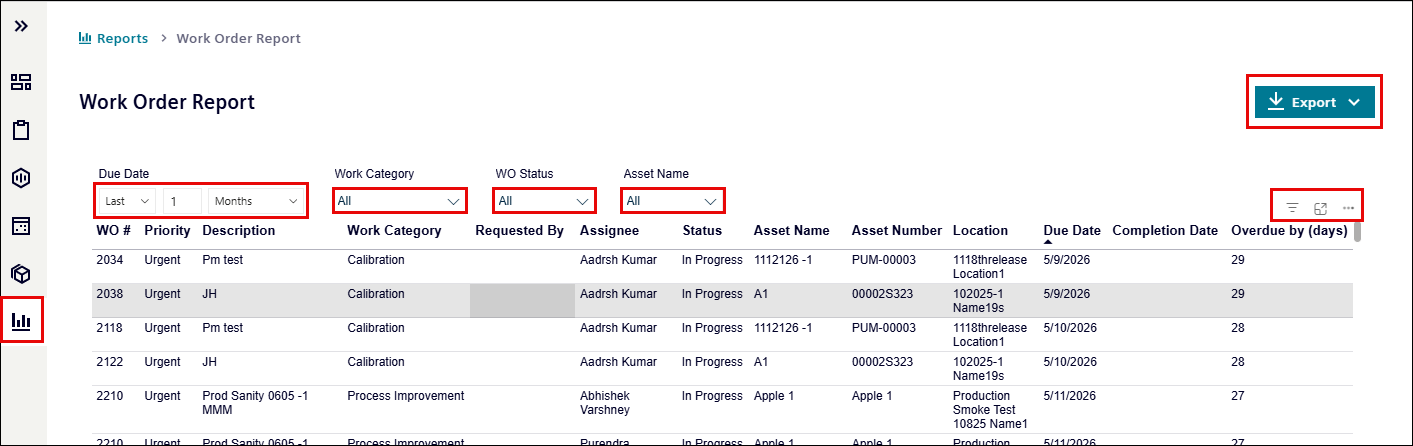
Select a report (for example, Work Order Report).

-
Use the available filters to refine your report:
-
Due Date: Select a date range from the Due Date drop-down list.
For example, Last 1 Months
-
Work Category: Filter by work order category.
-
WO Status: Filter by status such as In Progress or Completed.
-
Asset Name: Filter by a specific asset.

-
-
Click the Export button on the upper-right to export report in:
-
MS-Excel
-
CSV format
-
-
Click
 icon to view the number of active filters and the filter values currently applied.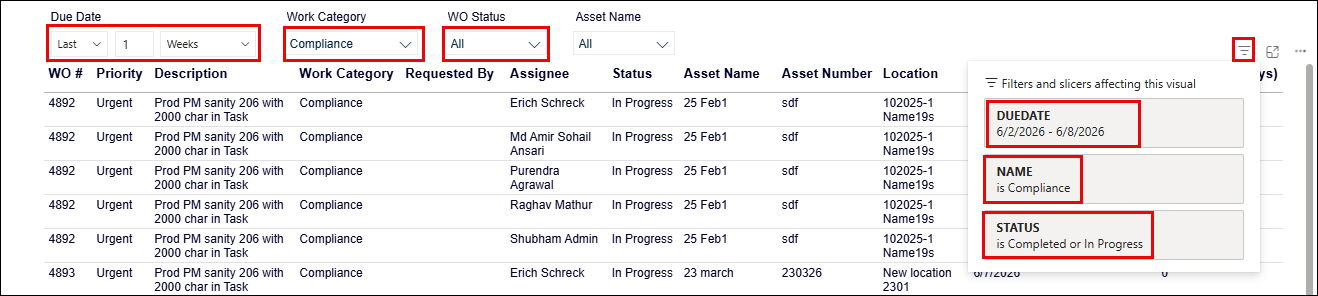
-
Click the
 focus icon to switch to focus mode.
Focus mode hides the filter options above the report headings. -
Click the Back to report to return to the normal view.

-
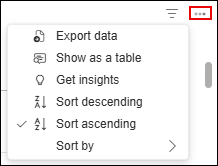
Click the
 icon to access additional actions:
-
Export data
-
Show as table
-
Get insights
-
Sort descending
-
Sort ascending
-
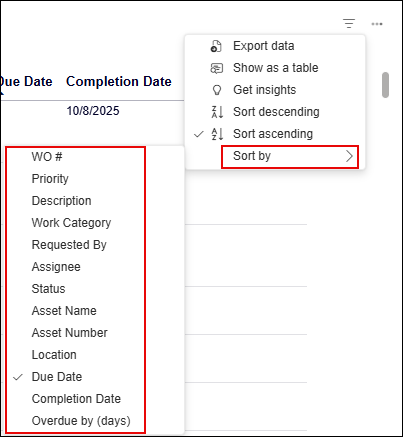
Sort by
-
